I’m not sure how many of you use Inventer HSM from Autodesk but its very similar to Fusion. I have HSM use it daily and have done a few things helping out my Brother-In-Law on Fusion 360.
Figured we could have a go to Thread for Help like
Tool Paths
Open Contours
3D or 2D
Just wanted to lend a helping hand where possible.
5 Likes
Mike are you offering help for fusion users to make the transition into HSM?
1 Like
@adepoalo
fusion and inventor are close to the same user interface. Im offering a spot for questions on either. sometimes ppl need help figuring out toolpaths and such. Not trying to convert anyone over to anything
3 Likes
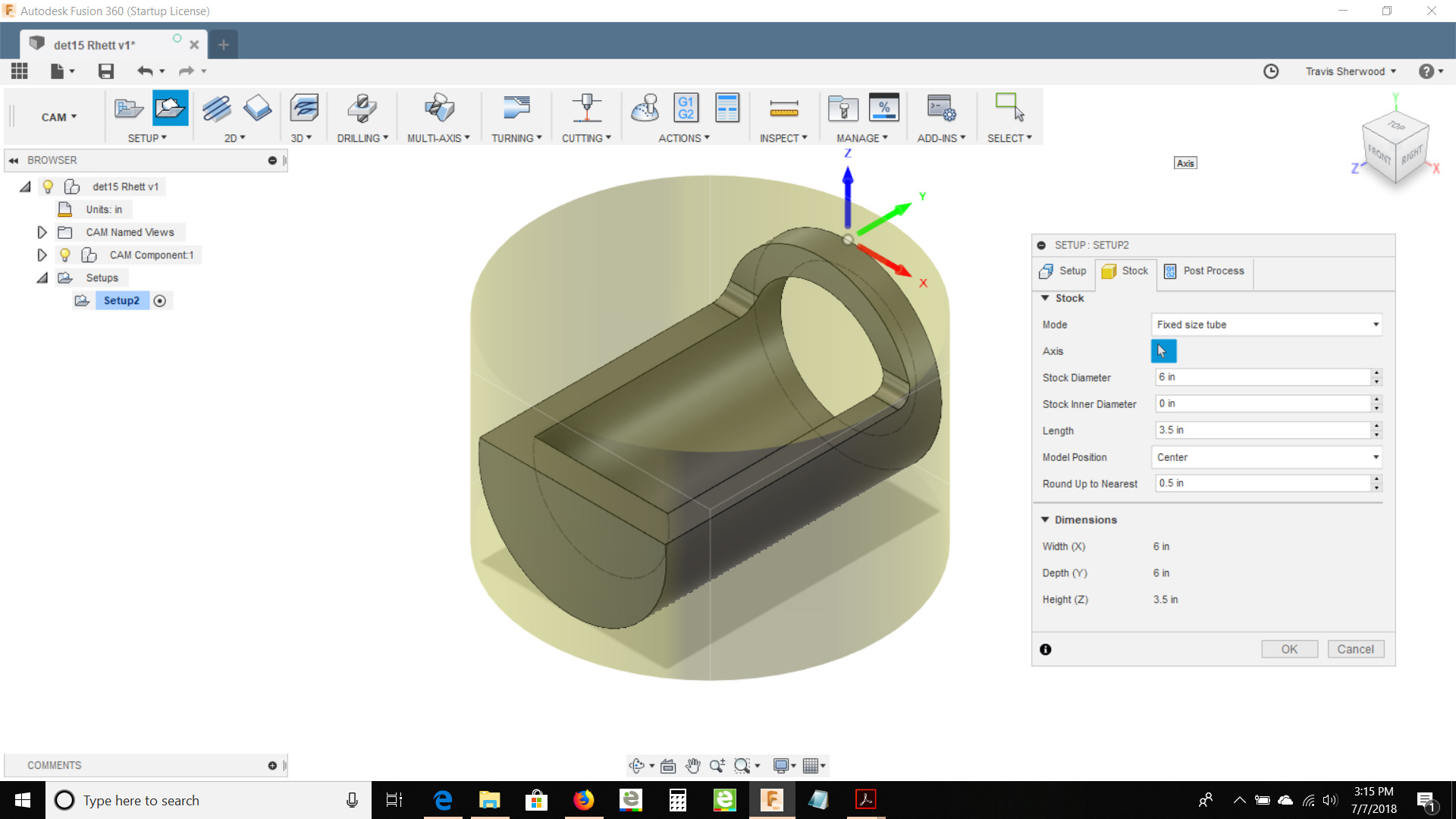
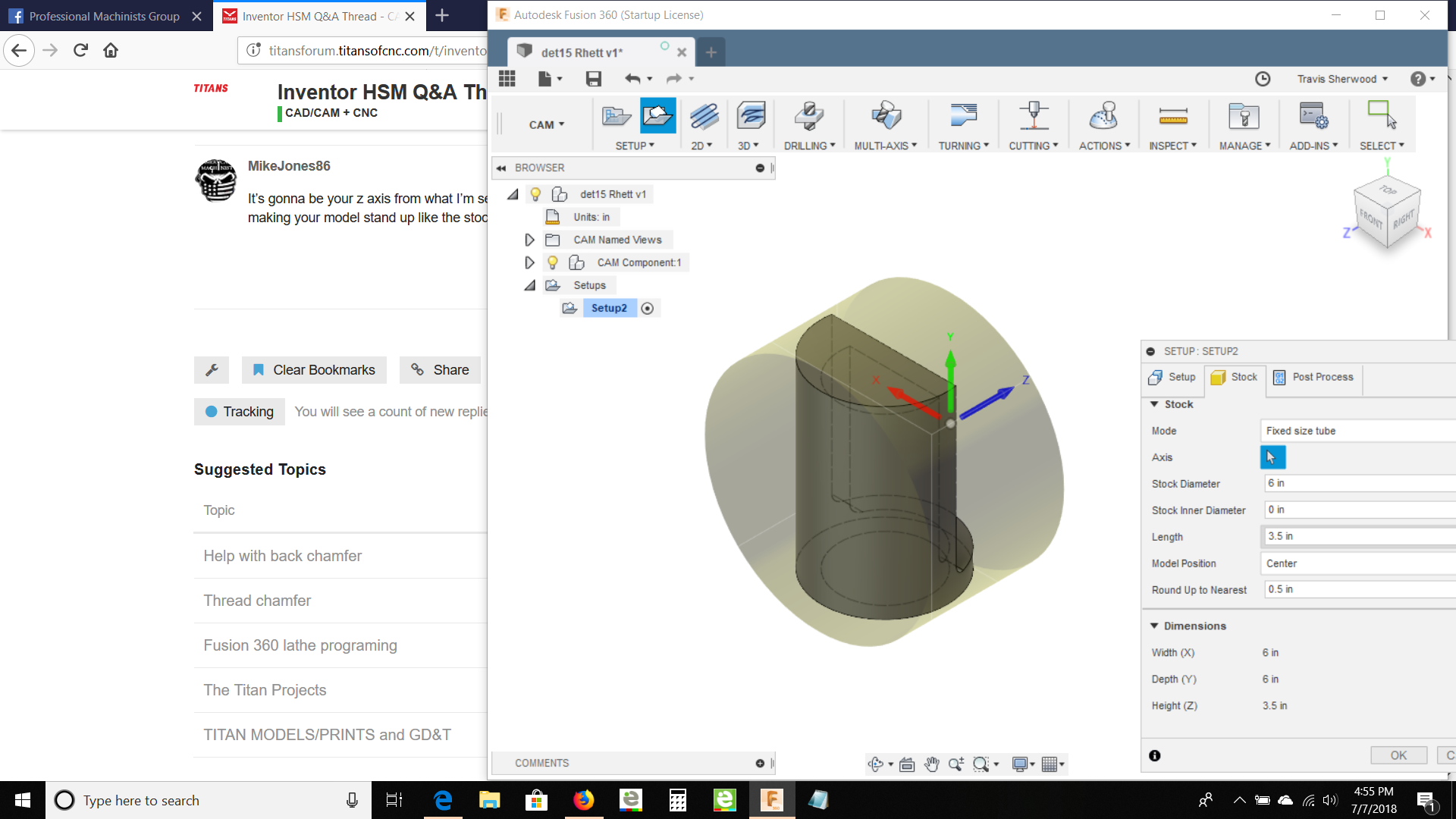
This is a problem I had the other night I could not get the stock to go right. I ended up programing it my hand at the control. any help would be great.
@MikeJones86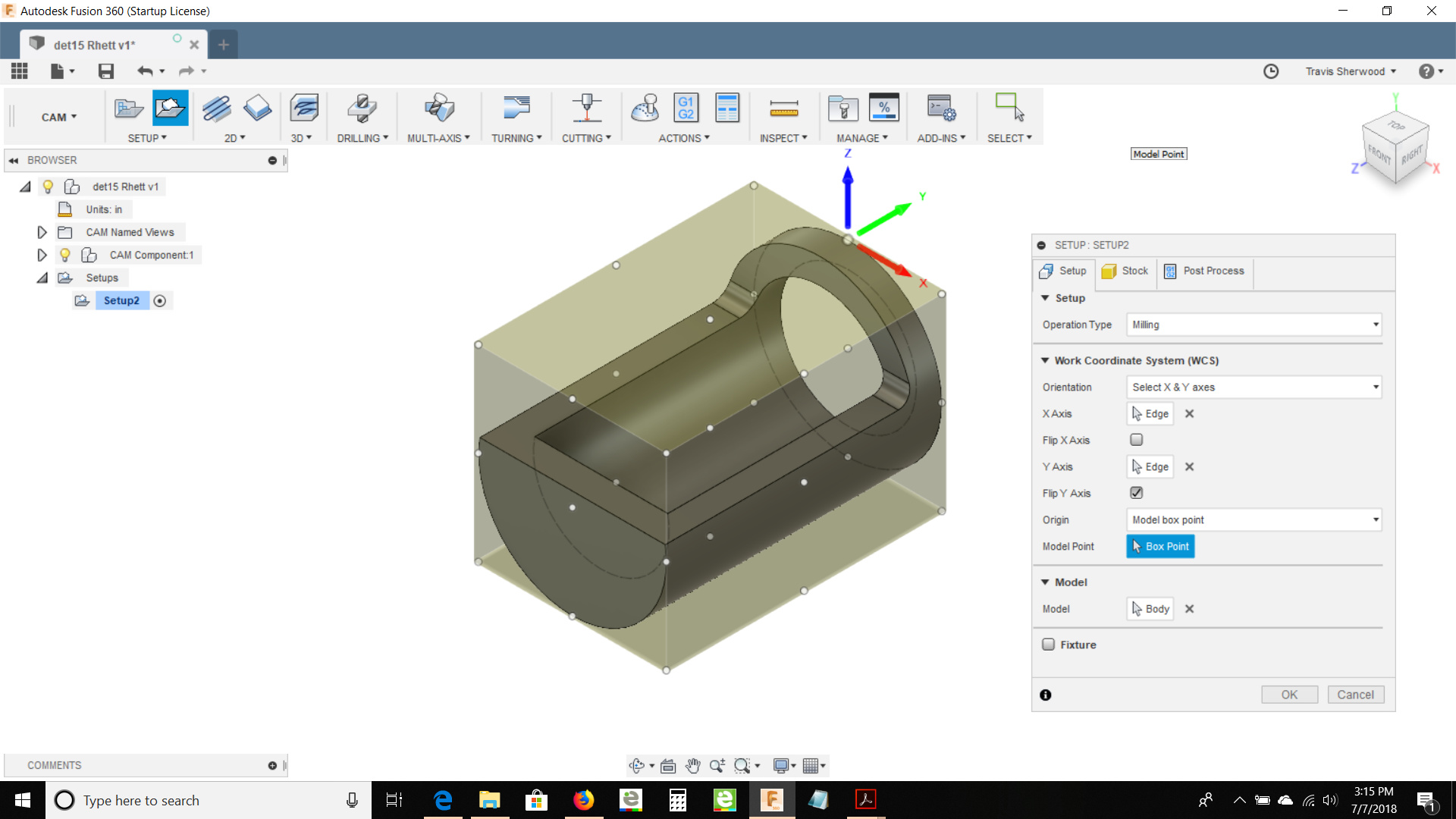
https://a360.co/2NyFODf
1 Like
@Rumpelstiltskin
I take it on the stock your saying the WCS wasn’t working for you the way you wanted and possible the stock size you wanted also.
1st the WCS use the select Z and select X mouse arrows for each. Go with the Z axis first and pick a line on the actual model that you want vertical. Usually X will fall right but if it doesn’t you can click the end of the arrow for X and it will swap directions. Or you can go to the mouse button beside select X and lick a line you want horizontal.
2nd the stock if it’s an issue i always use the fixed stock option cause i know what size stock I’m using and i will enter it in manually. Also you can set it (-) or (+) offset in any axis too.
Now finally when picking only a pocket double click then you will get a square and the symbol ] that is for a open contour. Click it and anything in light blue will be took path anything in teal won’t show up in the tool path. Also if there’s a line you don’t want to be in toolpath and it’s light blue. You have to hold Ctrl and left click it to deselect the line.
Hope this helps I’m not on my laptop to post any snips of what I’m talking about I’m on my iPhone
1 Like
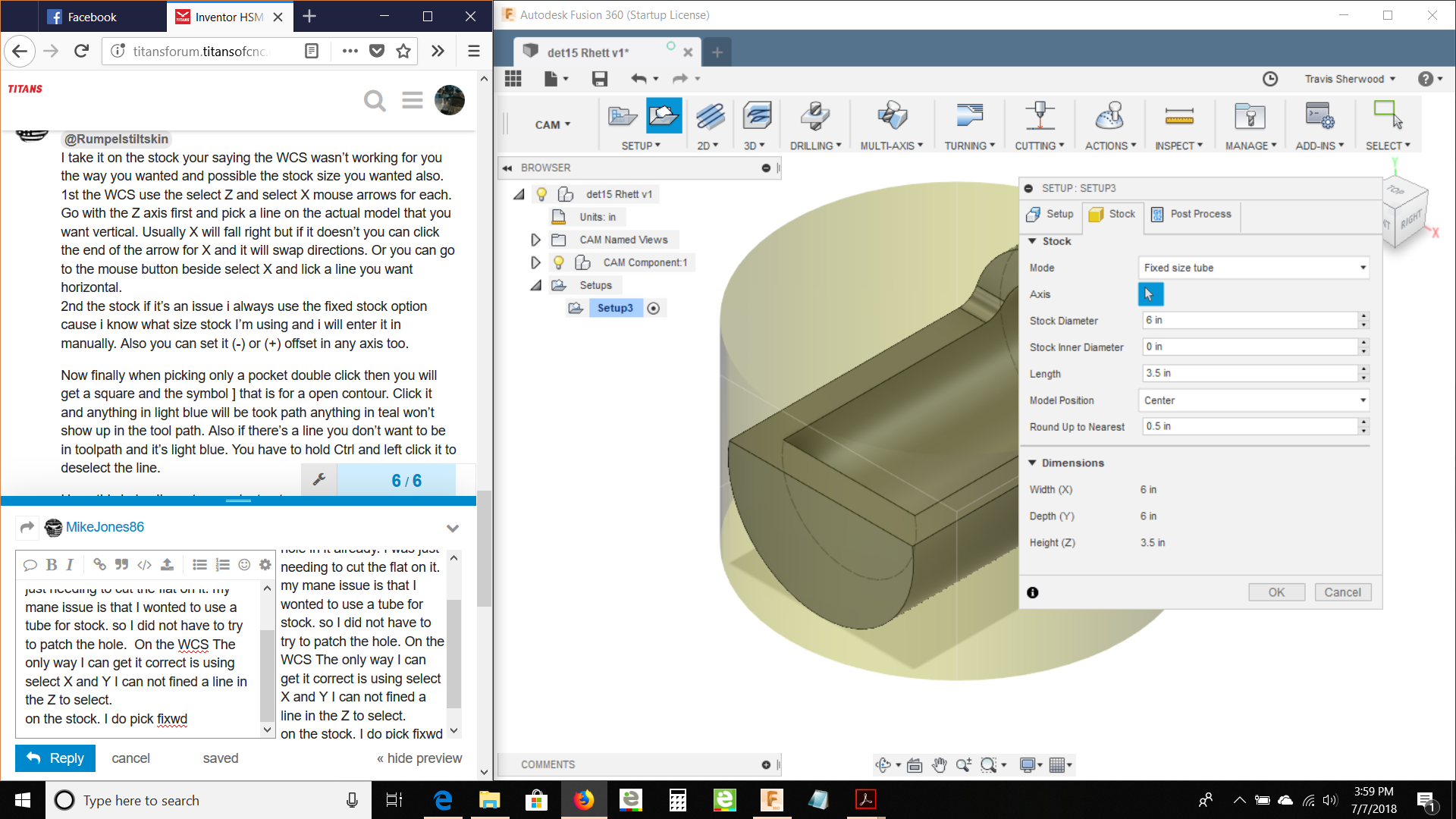
@MikeJones86 Thank you !!! This is a turned part that has the hole in it already. I was just needing to cut the flat on it. my mane issue is that I wanted to use a tube for stock. so I did not have to try to patch the hole. On the WCS The only way I can get it correct is using select X and Y I can not fined a line in the Z to select.
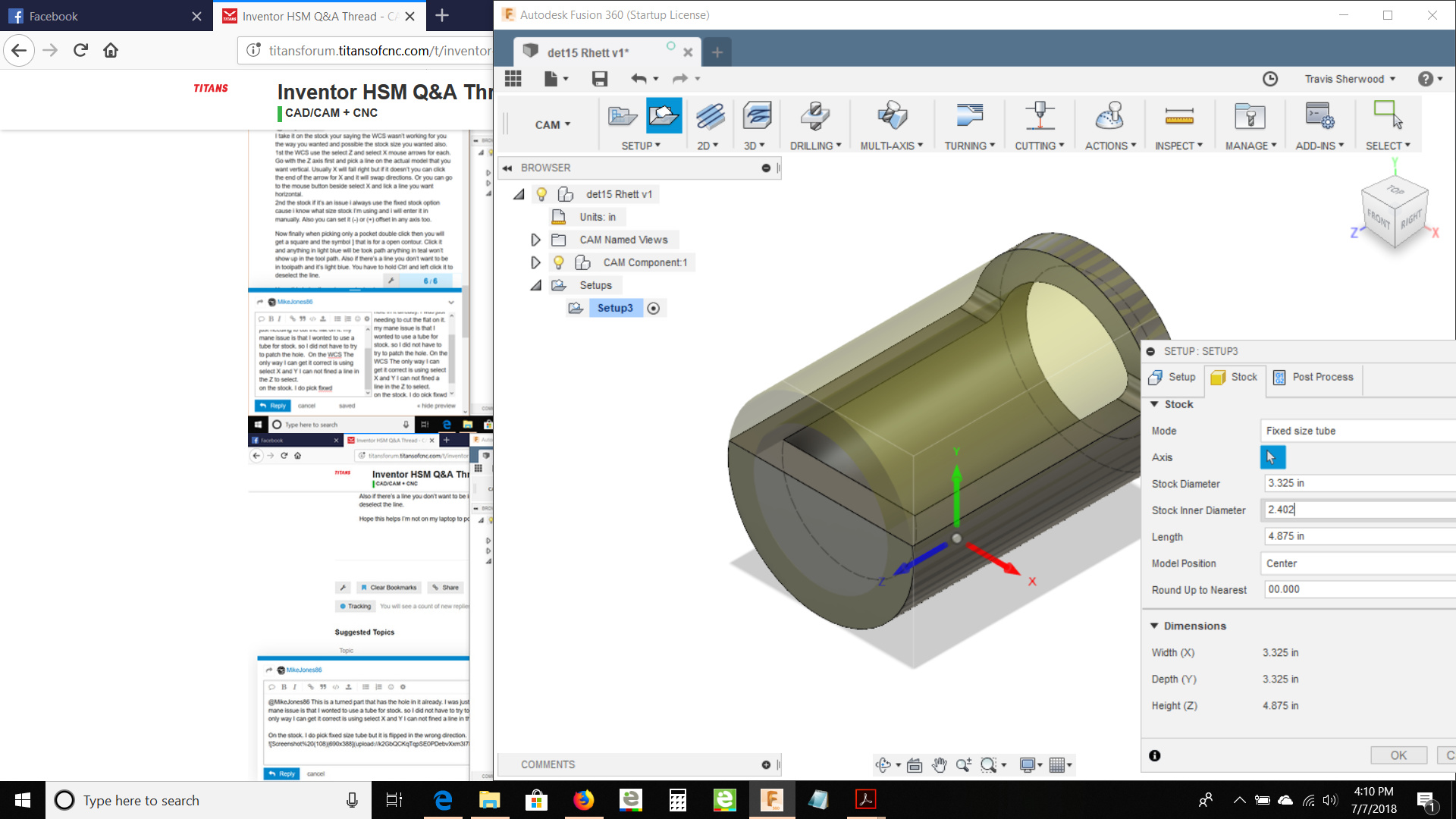
On the stock. I do pick fixed size tube but it is flipped in the wrong direction.
I can get then stock right but the WCS is wrong if i flip the WCS the stock flips.
ThankYOU!!!
 !
!
1 Like
It’s gonna be your z axis from what I’m seeing. I haven’t messed a lot with tube stock. Another thing to try is try making your model stand up like the stock wants to stand. Then try setting your WCS
1 Like
The stock is tied to the WCS I Guess I rotated the part and that did not help.
the Tube works just like the cylinder.
I do thank you thew.
I will throw it up on Face book and see if some one has the answer.
1 Like
Do you want your stock in that orientation or in the orientation of your part model. To me your z is off if mill that part
1 Like
That is the root of the problem whenever I would switch Z the way I needed it stock and turn would rotate. @DanielLyall made the video below on how to correct the issue. Thanks to all, for your time and help
https://knowledge.autodesk.com/community/screencast/747bdb3e-4aab-4d66-93ab-b2a589a06e3e
2 Likes
@MikeJones86
https://a360.co/2NyFODf
Help please !!
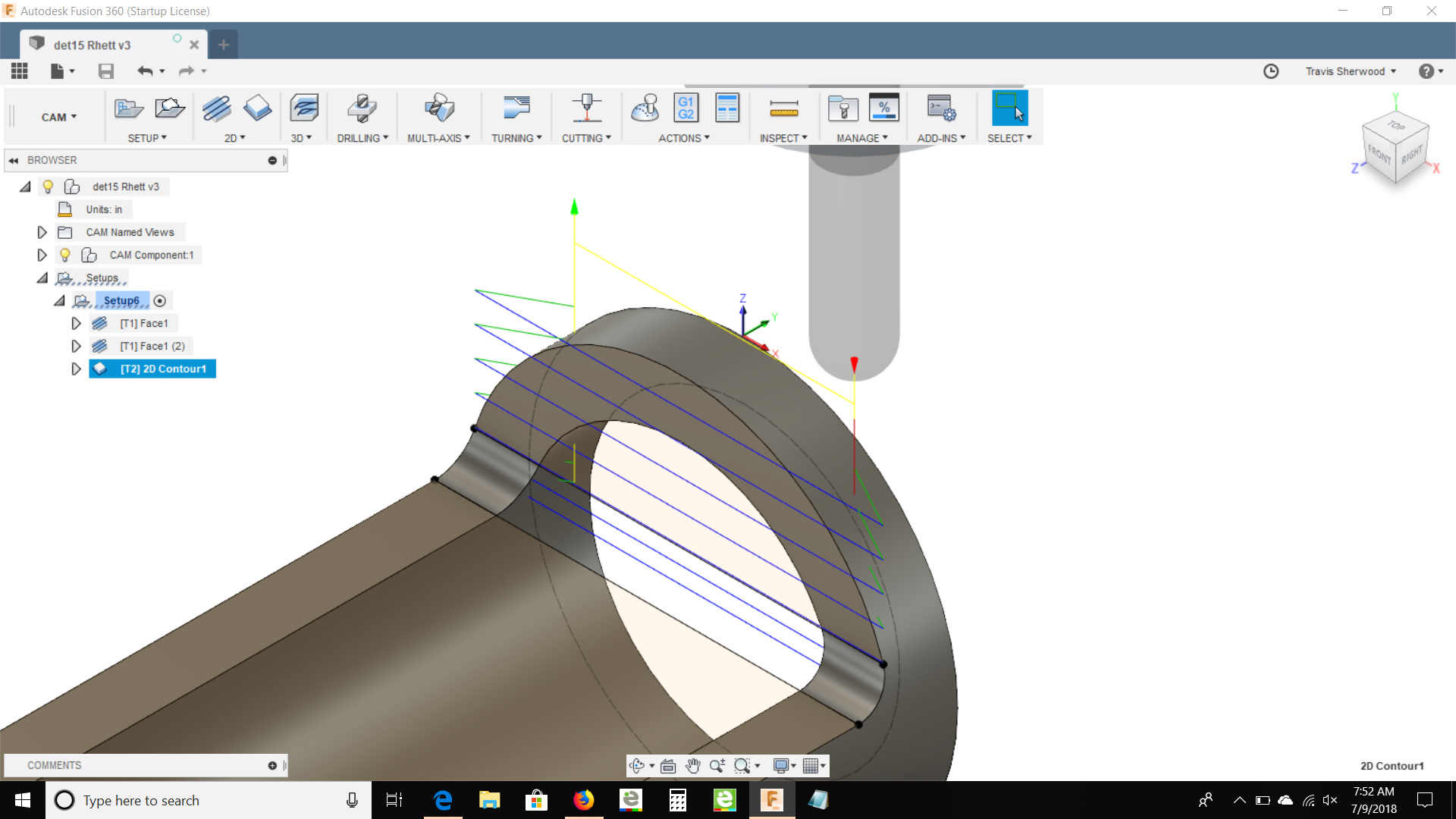
I have gotten the stock all lined out but for some reason when I do a contour with my ball mill.the lead in angle is right threw the part.I have tried changing the angle but it just frustrates me doing the wrong thing.
again I have already made the parts programed at the mill.
I need to learn how to do this so I can apply it to other projects.
I thank You for any help you can give.
1 Like

Ok the way I fix this Oh don’t mind the numbers in the boxes
Horz. Lead in Radius - 0
Lead in sweep angle - 0
Linear lead in distance - I usually do just a little over half the tool radius EX 1/2 tool I do like 0.3
You can do Perpendicular if its needed depending on part
Vertical Lead in Radius- I hardly use this on in tight spots
2 Likes
Blockquote That is the root of the problem whenever I would switch Z the way I needed it stock and turn would rotate. @DanielLyall made the video below on how to correct the issue. Thanks to all, for your time and help
https://knowledge.autodesk.com/community/screencast/747bdb3e-4aab-4d66-93ab-b2a589a06e3e
Big Thanks to @DanielLyall for the help and great video 
2 Likes
Thank you all!!! for the help.
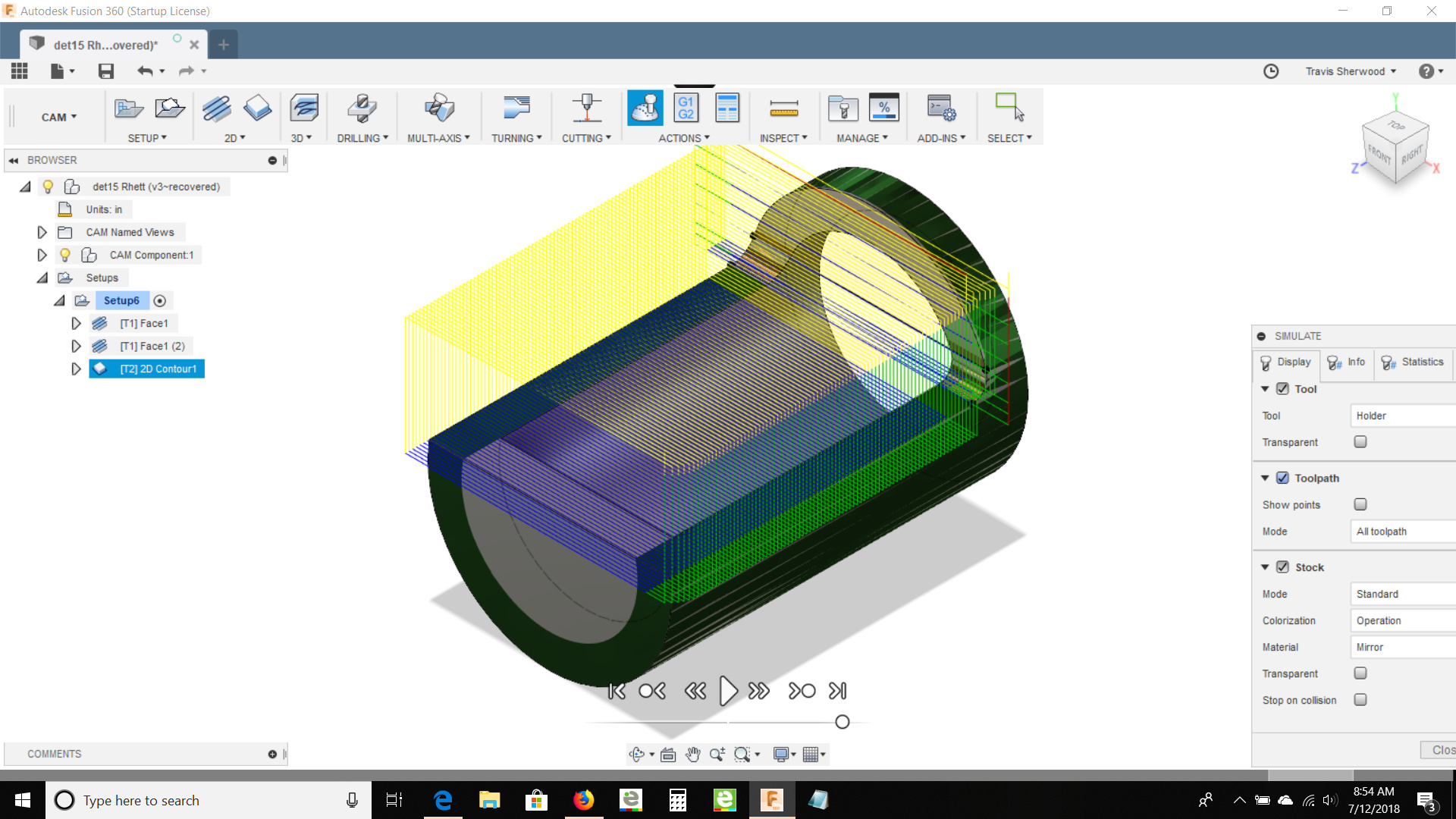
as we say the proof is in the pudding.
Hear is a pitcher to show What I leaened.
 l
l
2 Likes
looks great glad that you got on track with it. also glad that others helped out on explaining this too.
2 Likes
If you wanted to use a tube for the stock, keep in mind you can actually draw anything you would like to represent the stock (in Inventor, I assume Fusion is the same). You are not limited to just the default pop-up selections. This is helpful with multiple ops, as you can use the partially completed part to accurately represent the next op. -Robert
3 Likes
Ok I have many years with MasterCam and I’m used to XForm Rotate and such. I have been trying to figure out how to array a part that comes in completely off any plane in Inventor. This is the video I keep getting but I don’t see this fixing my issue the video just stops.
So my question is there an easier way to do this
https://knowledge.autodesk.com/support/inventor-products/learn-explore/caas/screencast/Main/Details/12c54867-33ae-473b-b50f-c9fdcaffd9b3.html
2 Likes
Anybody have any good pointers on Thread Milling? I have ran programs with it already in there, but I have never Programmed a Thread Mill.
2 Likes
I have cut the odd sized thread thread milling but only using single pint tools.
2 Likes
 !
!
 l
l