Hey guys.
Done the webbing, looks amazing. Now i want to fillet and do the same “bottom right->top left” selection,
it seems my fillet want to select both edges and faces. How do i get around this?
I see in the video fillets doesn’t have the ability to pick up faces, as it does now days.
Am I totally off here?
1 Like
I had the same problem - couldn’t do a select-all by dragging a rectangle over the side area as Billy did in the video. Wound up having to select each vertical line individually. Do we have a setting wrong? Tried the command key, etc (I’m on a Mac). What are we doing wrong?
1 Like
Orient the part where you see a side view of the top surface, you can then use the window select and just capture the top surface. Re-orient the view to see which filet was missed or if any extra fillets were picked. Use and hold down the ctrl key (Win) or Command (Mac) to re-select edges needed or de-select any edges not needed. This should be quick and easy. I am running version 2.0.5677
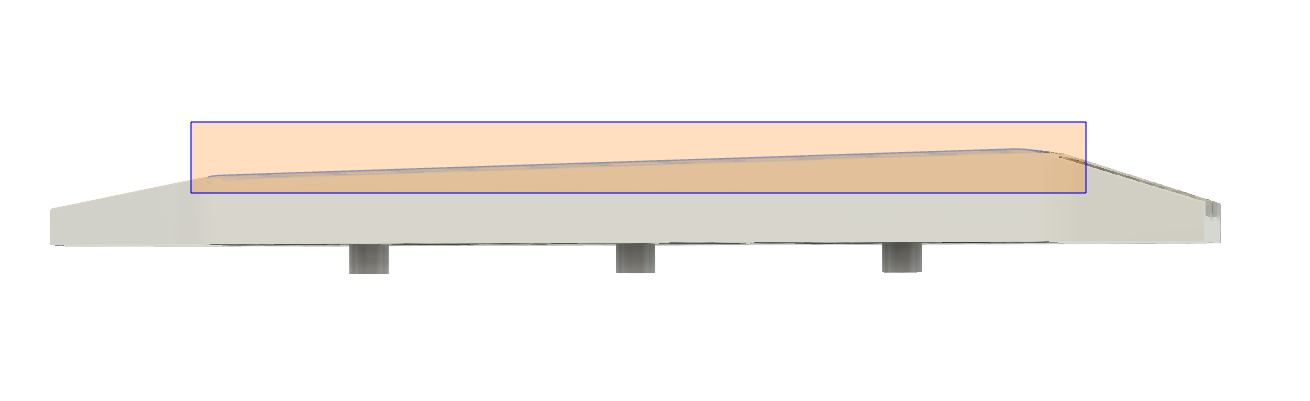
1 Like
Maybe this will help. Grab only what you want to grab by filtering the features you want to grab.
https://autode.sk/2VGWa0p
1 Like
That is a great sedgestion! Thank you.
