I am still a beginner in Fusion360. I tried to find the answer on my own but I guess I am not using the right search terms.
I am working on a second op for 7M and used the Adaptive Clearing and continued on knowing I was doing something wrong but just not what. After I finished the second side, I realized I should have chosen 2D Contour. I deleted the Adaptive op.
How do I insert the Contour op between 2 other ops?
Thanks.
2 Likes
You can make the Contour Toolpath and then drag it to where you need it in you OPT.
2 Likes
Create the new operation and in the browser , youi should be able to drag/move the new operation up or down in the program.
1 Like
Just create it and drag it where you want it. If you right click on the adaptive and click on create derived operation you will be able to create the 2d contour using the settings from the 2d adaptive.
2 Likes
Thanks, that was the first thing I tried. I will try again to see if I missed something.
Thanks. I will try that again.
You have to weight untill a blue line appears before it will move. I will add a picture later.
1 Like
Hello @BrianGracia
I do apologize foe not getting to this I actually forgot. Please forgive me.
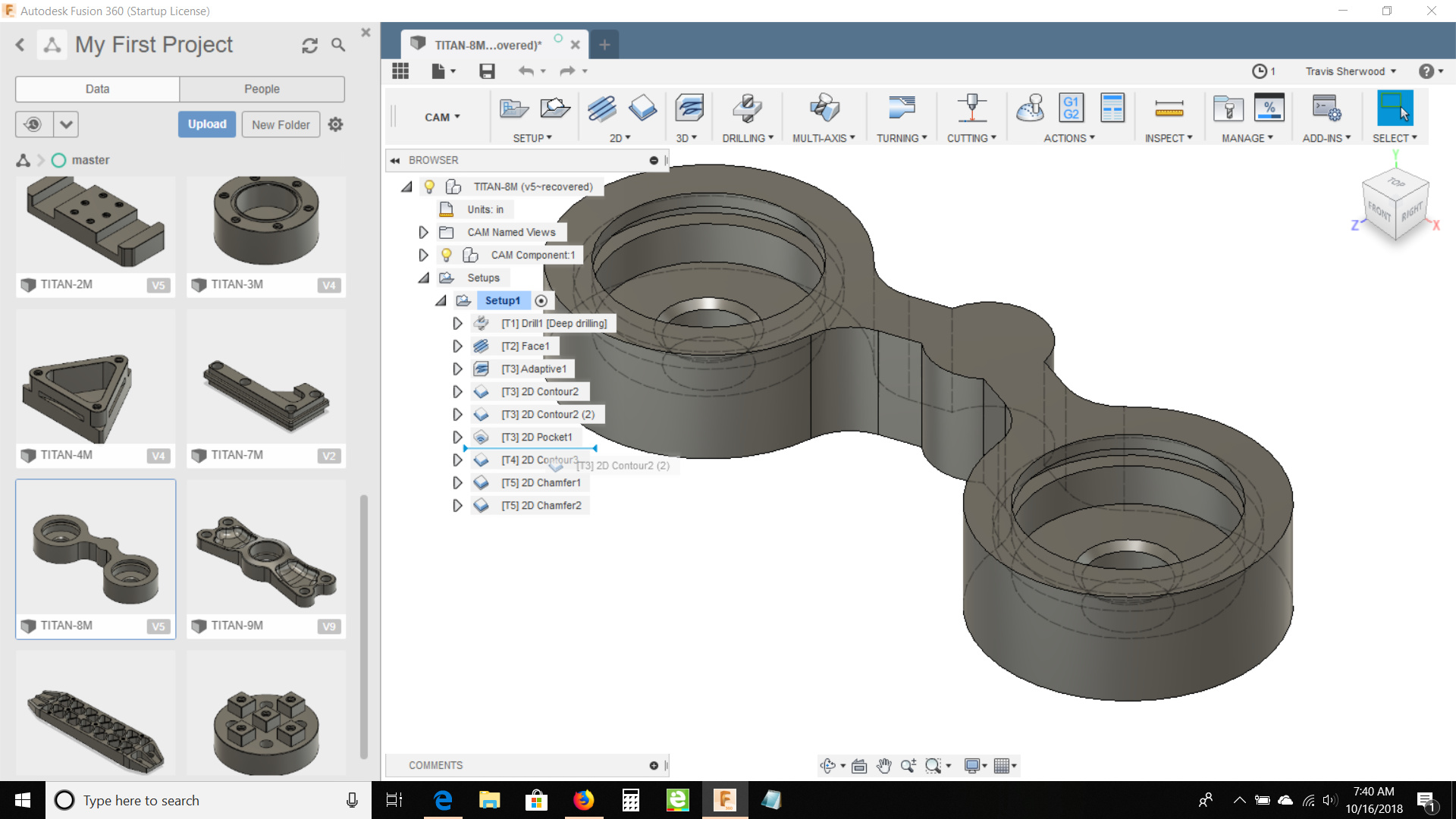
2 Likes
